






Module choices: Standard is the Linux-based CarPlay/Android Auto option. Advanced+ is the Android 13 system with 8GB RAM and 128GB storage. The separate 4GB/64GB Advanced option is not the same hardware as Advanced+.
Module pricing: Standard $699.99; Advanced+ $849.99. A required or optional HD replacement-screen selection adds $100, for totals of $799.99 and $949.99 respectively.
| Year / platform | Factory configuration | Interface / screen requirement |
|---|---|---|
| 2008–2013 R51 | Analogue factory display | Standard and Advanced+ are documented as screen-and-interface packages; match the original system. |
| 2013–2016 R52 | High-resolution or analogue display | Different interfaces/packages apply; analogue systems require the matching replacement-screen package. |
| 2017–2021 R52 | Later factory infotainment | Standard and Advanced+ module interfaces are documented; an optional HD replacement screen is not automatically compatible. |
Fitment confirmation: Keep the R51 and R52 platform requirements separate. For 2017–2021 R52 installations, follow the switch-board installation note below. A screen-upgrade chart ending in 2020 does not by itself exclude the 2021 module interface.
Factory navigation, display resolution, dashboard specification and radio connections determine the correct interface. A touchscreen alone does not identify every compatible configuration. For any unconfirmed configuration, contact Nifty City with the vehicle year, market and factory-system photos before ordering.
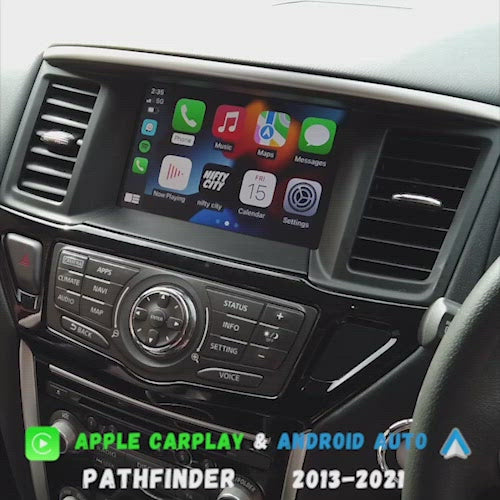
Upgrade your Nissan Pathfinder with modern Apple CarPlay and Android Auto while retaining your factory screen, controls, and vehicle functionality.
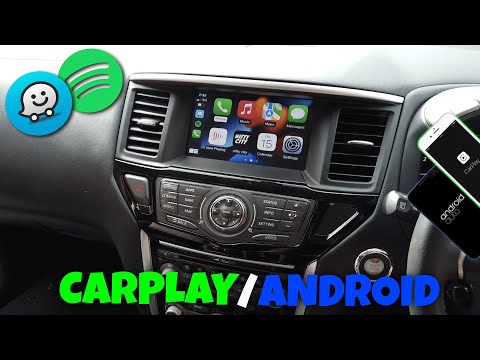
The Nifty City Integration Module seamlessly integrates with your OEM infotainment system, providing Wireless Apple CarPlay and Android Auto directly through your factory display. Access navigation, music, messaging, phone calls, and your favorite apps without replacing your factory screen.
Whether you're commuting, taking family road trips, or exploring off the beaten path, enjoy modern smartphone connectivity while maintaining the factory appearance and functionality of your Pathfinder.
✔ Wireless Apple CarPlay
✔ Wireless Android Auto
✔ Retains Factory Screen
✔ Retains Factory Controls
✔ Steering Wheel Controls Retained
✔ Factory Audio Integration
✔ Factory Backup Camera Compatibility
✔ Siri & Google Assistant Support
✔ Plug-and-Play Installation
✔ Professional Installation Available
The Standard Module is ideal for drivers who simply want Wireless Apple CarPlay and Android Auto added to their factory system.
The Standard Module is the simplest and most affordable way to modernize your Pathfinder's infotainment system.
The Advanced Module transforms your factory screen into a full Android-powered infotainment system.
In addition to Apple CarPlay and Android Auto, you can run apps directly on the module itself.
The Advanced+ Module is our fastest and most powerful option.
Designed for customers who want the best performance possible, Advanced+ delivers faster app loading, smoother multitasking, and a premium user experience.
Use the chart below to choose the correct Factory Screen Type. Factory navigation and input-connection questions are collected separately on the product page.
| Market / Platform | High Resolution — HD Upgrade Optional | Low Resolution — HD Screen Required | Different Screen — HD Upgrade Not Compatible |
|---|---|---|---|
| North America — Pathfinder R51 | 2011–2012 with OEM navigation | 2008–2009 with OEM LCD screen; 2010–2012 without OEM navigation | — |
| Australia — Pathfinder R51 | 2011–2012 with OEM navigation | 2008–2009 with OEM LCD screen; 2010–2012 without OEM navigation | — |
| North America — Pathfinder R52 | 2013–2016 with OEM navigation | 2013–2016 without OEM navigation | 2017–2020 all models |
| Australia — Pathfinder R52 | 2013–2016 with OEM navigation | 2013–2016 without OEM navigation | 2017–2020 all models |
Unclassified model-year note: The supplier chart classifies this platform through 2020 but does not separately classify the 2021 model year. Please confirm the factory screen details with Nifty City before ordering.
The 2017–2021 R52 interface uses a switch board that must be installed inside the original factory screen. Confirm your factory navigation, display and input connections with Nifty City before ordering or installation. Module compatibility does not mean the optional HD touchscreen is compatible; follow the factory-screen compatibility guidance above.
Any Questions? Please Contact Us!